Build test cases from real traces
Convert production traces into test cases, so the failures you have already seen can't ship again.
Build test cases from real traces: Docs (opens in new tab)Evaluation
Trusted by teams shipping agents in production
What is Evaluation?
A repeatable way to score your agent. An evaluation is a set of test cases, each an input and the output you expect, scored by evaluators. Build it from production traces, run it from the dashboard, the SDK or your pipeline, and read every result back with the trace behind it.
Pull cases from production traces, import the set you already have, or let AI draft the edge cases nobody thought to write down.
Convert production traces into test cases, so the failures you have already seen can't ship again.
Build test cases from real traces: Docs (opens in new tab)Bring an existing test set in bulk instead of re-entering it case by case.
Add test cases from a CSV: Docs (opens in new tab)Describe what the agent should handle and let Netra draft the cases. Keep the ones worth keeping.
Generate test cases with AI: Docs (opens in new tab)Build datasets, configure evaluators and launch test runs from your coding agent through the Netra MCP server.
Create evals using MCP: Docs (opens in new tab)Start with the predefined evaluators, then add your own: an LLM-as-Judge with your rubric, or code for the checks that have to be exact.
Coherence, factual accuracy, relevance, toxicity, bias, PII, tool-call accuracy and goal fulfilment, ready to attach.
Use a set of predefined evaluators: Docs (opens in new tab)Write an LLM-as-Judge with your own rubric, or a code evaluator in Python or JavaScript.
Bring evaluators of your choice: Docs (opens in new tab)Grade text responses and image outputs, including text-to-image alignment, in the same evaluation.
Score text and image single-turn evals: Docs (opens in new tab)Wire each input to a test-case field, the agent's response or execution metadata, and set the pass criteria per evaluator.
Map evaluator inputs to your data: Docs (opens in new tab)Run the same test cases against the old and the new version and read pass rates, scores, cost and latency side by side. Start it from the dashboard, the SDK or your pipeline.
Trigger test runs from the Python or TypeScript SDK on every pull request.
Run evaluations in your CI/CD pipeline: Docs (opens in new tab)Hand the SDK a function that calls your agent, and every test case runs through it, traced end to end.
Run against your agent endpoint: Docs (opens in new tab)Results come back as structured data, passed and failed items and total cost, so a pipeline can block a bad change.
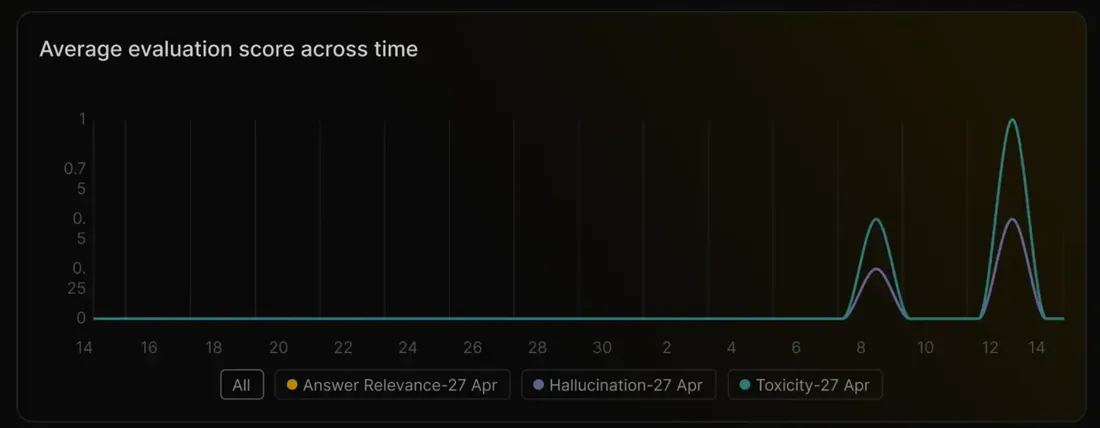
Gate a release on the results: Docs (opens in new tab)Coherence, Factual Accuracy and Toxicity run on every incoming trace automatically.
Turn on Auto-Evaluation for every trace: Docs (opens in new tab)Every case keeps its input, expected and actual output, each evaluator's score and a link to the trace that produced it.
Input, expected and actual output, status and every evaluator's score, case by case.
Read detailed eval results: Docs (opens in new tab)Jump from a failing case to the full execution trace and see the step that went wrong.
Open the trace behind any result: Docs (opens in new tab)Run the same evaluation against two configurations and read the difference before you decide.
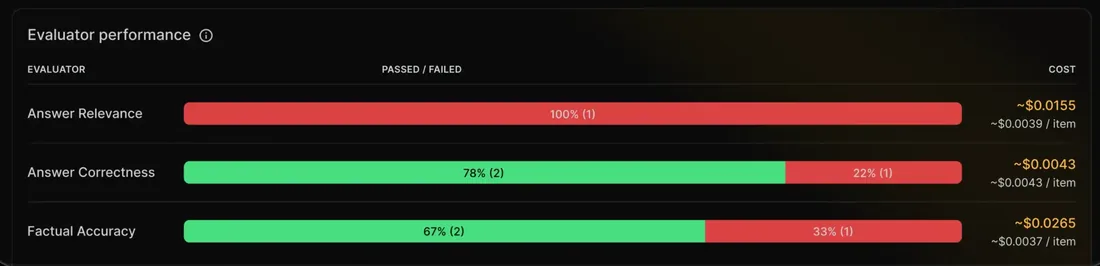
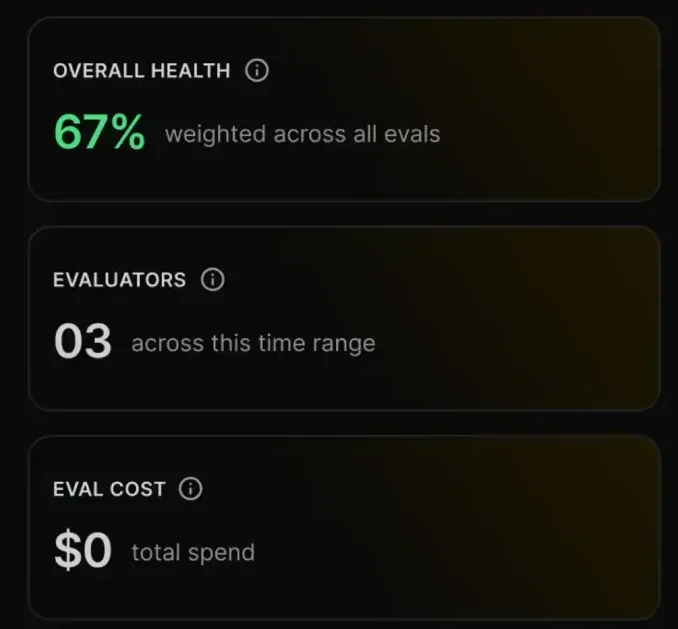
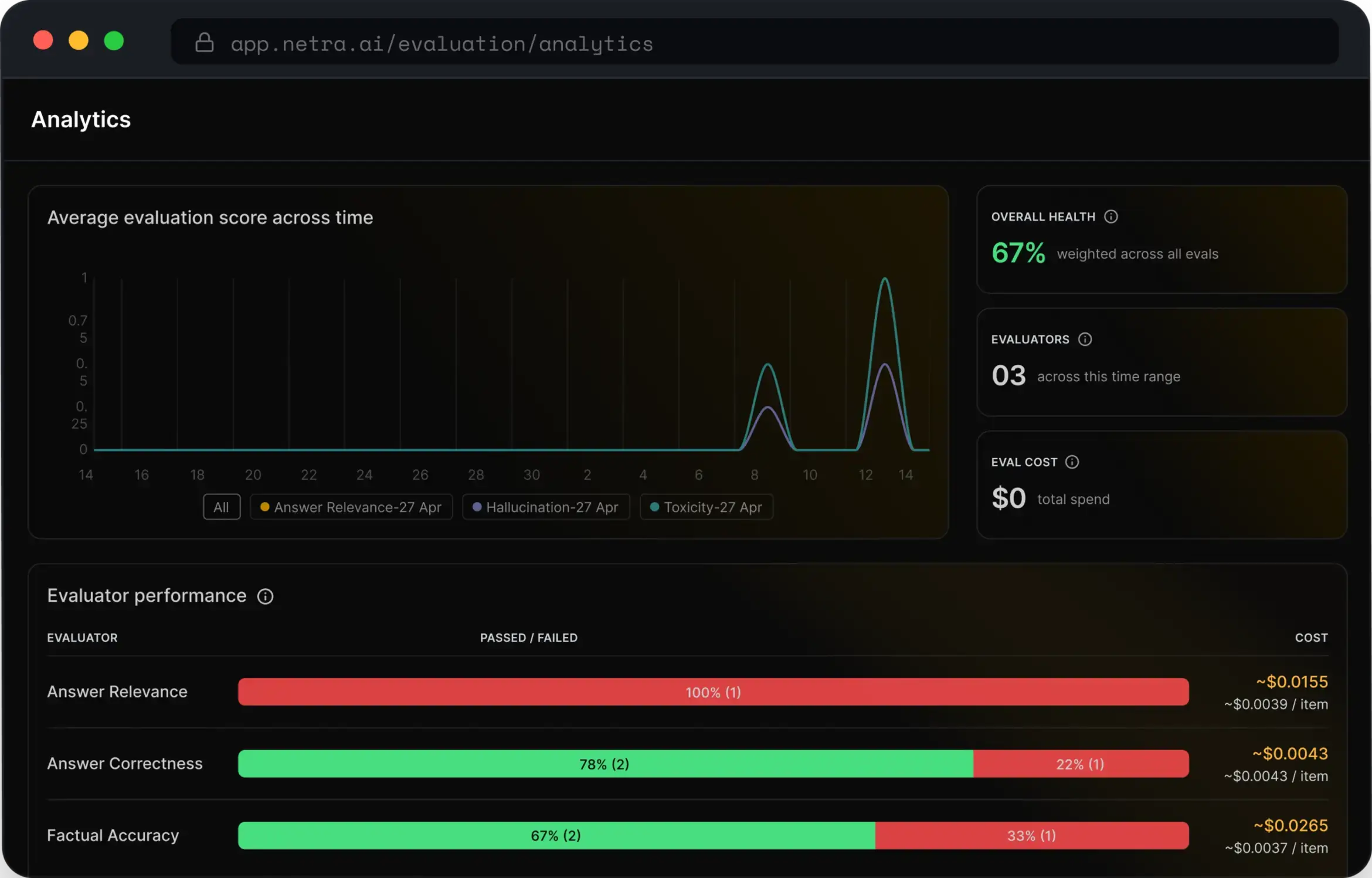
Compare runs side by side: Docs (opens in new tab)Total cost, average latency and pass or fail rate for every test run.
Track cost, latency and pass rate per run: Docs (opens in new tab)Python and TypeScript SDKs for your code and your CI, an MCP server for your coding agent, and judges that run on the model provider you choose.
Create datasets, add items, run test suites and read results from code, in either language.
Docs (opens in new tab)LLM-as-Judge evaluators run on OpenAI, Anthropic, Google and other providers you have configured.
Docs (opens in new tab)In production


Netra has honestly changed the speed of our shipping. Being able to evaluate and trust what our agents produce before anything goes out has cut down a lot of back-and-forth and helped us get features to market much faster.
Can't find the answer here? The Evaluation docs go deeper, or talk to our team.
A collection of test cases — inputs and expected outputs — scored by one or more evaluators. Build one from production traces, add cases manually, or organise them by feature or version.
LLM-as-Judge evaluators across Quality (Coherence, Factual Accuracy, Answer Relevance), Guardrails (Toxicity, Bias, PII Detection) and Agentic (Tool Call Accuracy, Goal Fulfillment), plus code evaluators for JSON, regex and custom Python or JavaScript.
Yes. With Auto-Evaluation enabled for the organisation, Coherence, Factual Accuracy and Toxicity run on every incoming trace. To score live traffic with your own evaluators, use Online Evaluation.
Under Evaluation → Test Runs: pass and fail rates, each evaluator's score, expected against actual output, and a link into the execution trace for every case.
Run the same evaluation against each configuration as separate test runs and compare the scores side by side, alongside cost and latency. The A/B testing cookbook walks through it end to end.
Check that it has test cases with an input and expected output, that at least one evaluator is attached, and that the test run has completed.
Start today
Turn your traces into a test suite and put a score on your next release. Free to start.