Set up rules with filters
Pick the agent, add filters on metadata, tags or attributes, and see the matching traces before you save.
Set up rules with filters: Docs (opens in new tab)Online Evaluation
Trusted by teams shipping agents in production
What is Online Evaluation?
Your evaluators, running on live traffic. Online evaluation scores incoming traces in the background as they arrive, on the agents and traffic you choose, sampled to control cost. It tracks pass rates over time and alerts you when they fall.
Scope an evaluation to one agent or all of them, filter by metadata, tags or attributes, and preview how many traces matched in the last 24 hours.
Pick the agent, add filters on metadata, tags or attributes, and see the matching traces before you save.
Set up rules with filters: Docs (opens in new tab)Score anywhere from 1% to 100% of matching traces, with presets at 10, 25, 50, 75 and 100%.
Sample traces to control cost: Docs (opens in new tab)Different agents, filters and evaluator sets as independent online evaluations.
Run several evaluations side by side: Docs (opens in new tab)Switch an evaluation off and keep every result it produced.
Pause without losing history: Docs (opens in new tab)Mix quality, guardrail, performance and tool-use evaluators in one configuration, each wired to the exact trace attribute it needs.
Quality, multimodal, guardrails, performance, semantic, agentic, JSON, regex and tool use.
Add evaluators of your choice: Docs (opens in new tab)Bias, safety and harmful-content checks run on live output, next to quality and performance.
Check guardrails on every response: Docs (opens in new tab)Point each evaluator input at the trace attribute it needs, with no reshaping of your telemetry.
Map inputs with JMESPath: Docs (opens in new tab)Numeric criteria with at least, at most, above or below, or a plain true or false, per evaluator.
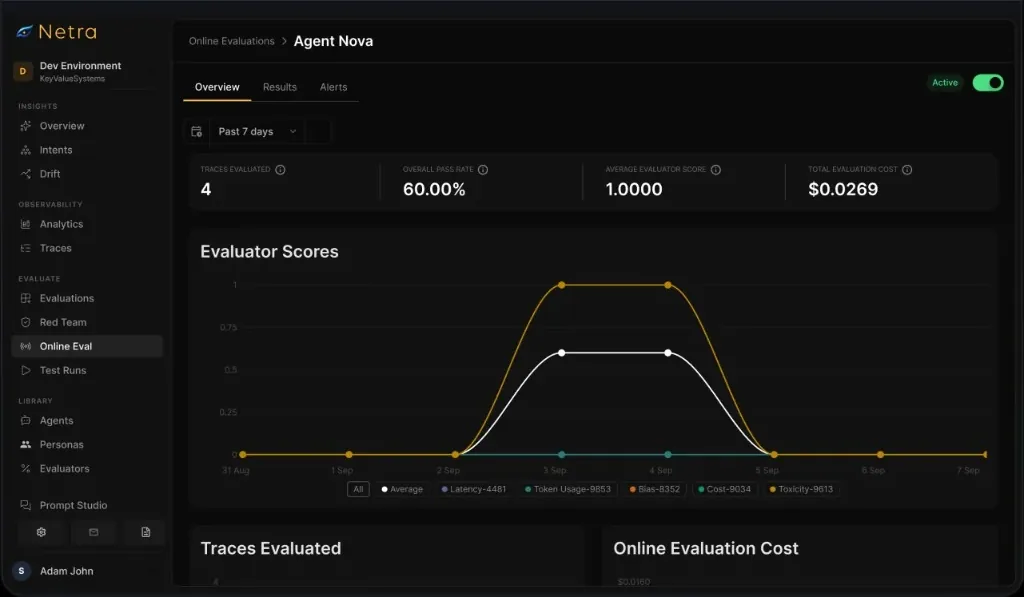
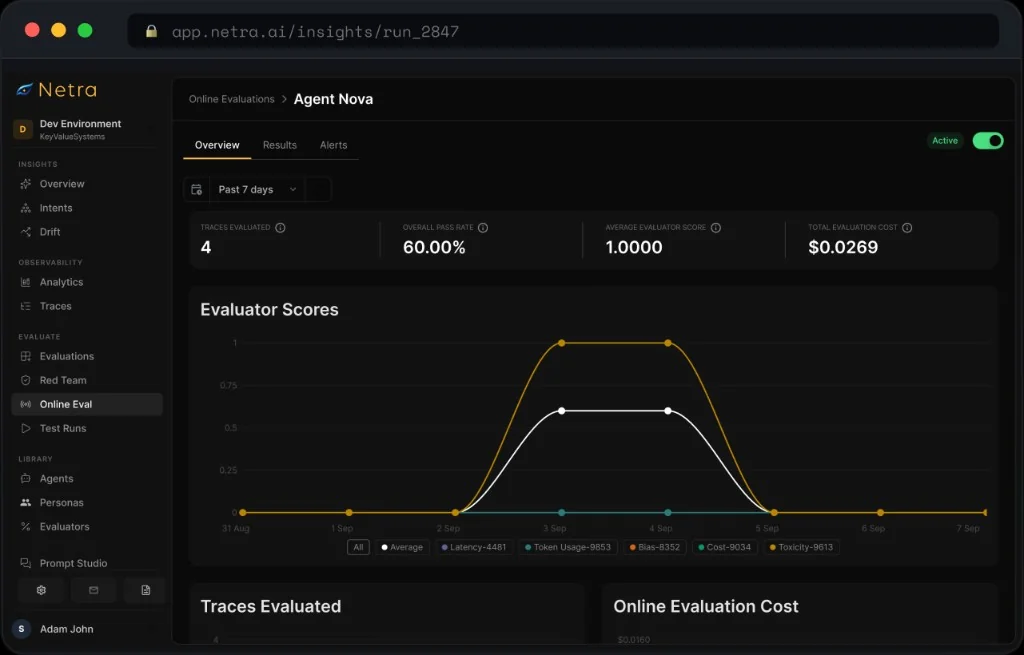
Set thresholds or booleans: Docs (opens in new tab)Evaluators run in the background on incoming traces, and pass rates over time show when quality changed.
Traces evaluated, overall pass rate, average score and evaluation cost, on one overview.
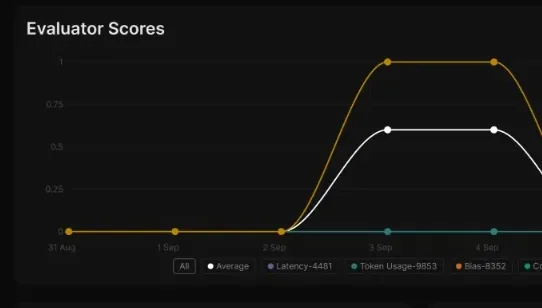
See the metrics that matter: Docs (opens in new tab)One line per evaluator over time, with an average across them.
Follow pass rate for each evaluator: Docs (opens in new tab)How many traces were scored, and what the judging cost.
Watch volume and cost over time: Docs (opens in new tab)Every evaluated trace with each evaluator's score, pass or fail, and its reasoning.
Read detailed results: Docs (opens in new tab)Alert on the overall pass rate or on a single evaluator. A duration keeps one bad minute from paging anyone, and alerts resolve on their own when things recover.
Alert when the overall pass rate, or one evaluator's, goes above or below a threshold, as CRITICAL or WARNING.
Set up alerts on quality: Docs (opens in new tab)Require the breach to persist, and re-check every 15 minutes to 24 hours, so a blip doesn't page anyone.
Hold alerts for a duration: Docs (opens in new tab)Route each alert to the contact points that should hear about it.
Send alerts to email or Slack: Docs (opens in new tab)A timeline of every alert, triggered and resolved, resolving automatically when the condition clears.
Review alert history: Docs (opens in new tab)In production


Can't find the answer here? The Online Evaluation docs go deeper, or talk to our team.
Evaluation scores a fixed set of test cases, usually before a release. Online Evaluation runs evaluators continuously on live traces as they arrive, so you see how quality holds up on real traffic.
No. Sample anywhere from 1% to 100% of matching traces — presets at 10, 25, 50, 75 and 100% — to keep evaluation cost in line at high volume.
Yes. Scope to specific agents or all of them, and add trace filters on metadata, tags or attributes. The setup shows how many traces matched in the last 24 hours before you save.
Each evaluator variable is mapped to a trace attribute with a JMESPath expression, so you use your telemetry as it is.
The overall pass rate or an individual evaluator crossing a threshold (is_above or is_below), held for a duration you set. Alerts carry CRITICAL or WARNING severity, go to email or Slack, and resolve on their own when the condition clears.
Yes. Toggle it inactive to stop evaluating new traces without losing its history. Edits apply straight away to new traces.
Start today
Point your evaluators at live traffic and let the pass rate tell you when something changes. Free to start.