Highlights
- A plain transcript can't capture every voice failure. AI voice agent testing must evaluate call audio to catch delays, interruptions, pronunciation errors, and background noise.
- Realistic voice simulations should cover different accents, speaking styles, interruptions, background noise, and multilingual conversations.
- Pipeline tracing helps pinpoint failures across speech recognition, model execution, tool calls, and speech generation, while continuous monitoring helps catch issues after launch.
- There's no single best voice AI agent testing tool. Choose one based on your voice stack, testing needs, and the failures you can't afford.
Your voice agent passed every test in staging. Then a real caller phoned in from a busy street, cut it off mid-sentence, and switched from English to Spanish halfway through a booking. The agent went quiet for two seconds, answered the wrong question, and the caller hung up.
The transcript looked fine at first glance. Every word seemed to be there. But the failure lived in the audio: the timing, the noise, the overlap, the language switch.
That is why AI voice agent testing is its own discipline. A voice agent typically runs through speech recognition, a reasoning model, tool execution, and speech generation, although real-time speech-to-speech models may combine some of these stages. A failure anywhere in that process can reach the caller as silence, an interruption, or a wrong answer.
Transcript-only evaluation can miss many of these failures. To catch them before a caller does, you need a voice agent testing tool that runs realistic conversations, evaluates the audio, and helps you understand what went wrong.
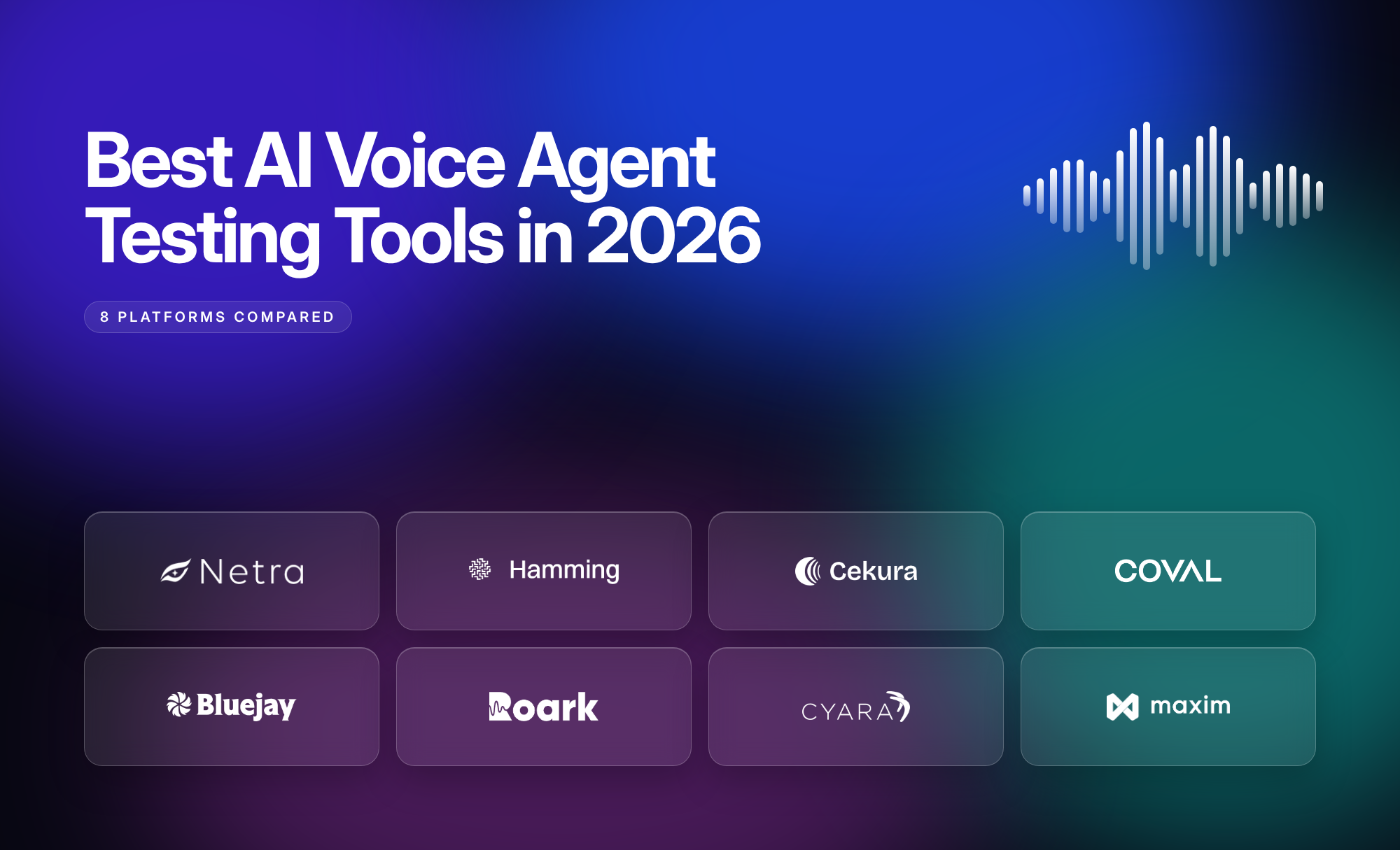
This blog compares the eight best AI voice agent testing tools in 2026, examining what each does best, how they approach voice evaluation, and which one might be the right fit for your stack.
What Should You Look for in an AI Voice Agent Testing Tool?
Every voice agent is different, but the questions to ask an AI voice agent testing tool are mostly the same. Start with these seven:
1. Do the tool's simulated callers sound real?
Look for personas with different accents, speaking styles, and behaviors, including interruptions and background noise. For testing speech quality and real-time interactions, simulations should run over actual audio, not just text.
2. Does the tool listen to the call, not just read it?
Plain transcripts can miss unnatural pauses, overlapping speech, pronunciation errors, and background noise. Look for evaluations that analyze call audio alongside transcripts.
3. Can the tool show which stage failed?
Check whether it provides tracing and latency visibility across speech recognition, model execution, tool calls, and speech generation, depending on the voice architecture and available instrumentation.
4. Can it evaluate interruptions and task completion?
An agent can sound natural but still fail a task. Look for evaluations covering turn-taking, interruption handling, tool execution, and goal completion.
5. Can the tool test more than one language?
Check whether simulated callers support different languages and mid-call language switching, and whether evaluations can assess the agent's understanding and response language.
6. Does the tool keep testing after launch?
Look for production monitoring, online evaluations, drift detection, and alerts. Check whether production failures can also be turned into regression tests.
7. Does the tool work with your stack?
Check compatibility with platforms such as LiveKit, Vapi, Pipecat, Retell, SIP, and WebSockets. Verify whether each integration supports simulations, tracing, production monitoring, or a combination of these.
What Are the Best AI Voice Agent Testing Tools in 2026?
1. Netra
Netra is an AI agent observability, evaluation, simulation, and security testing platform for text, voice, image, and video agents. For voice agents, it combines realistic call simulations, audio-based evaluation, pipeline tracing, and continuous production monitoring.
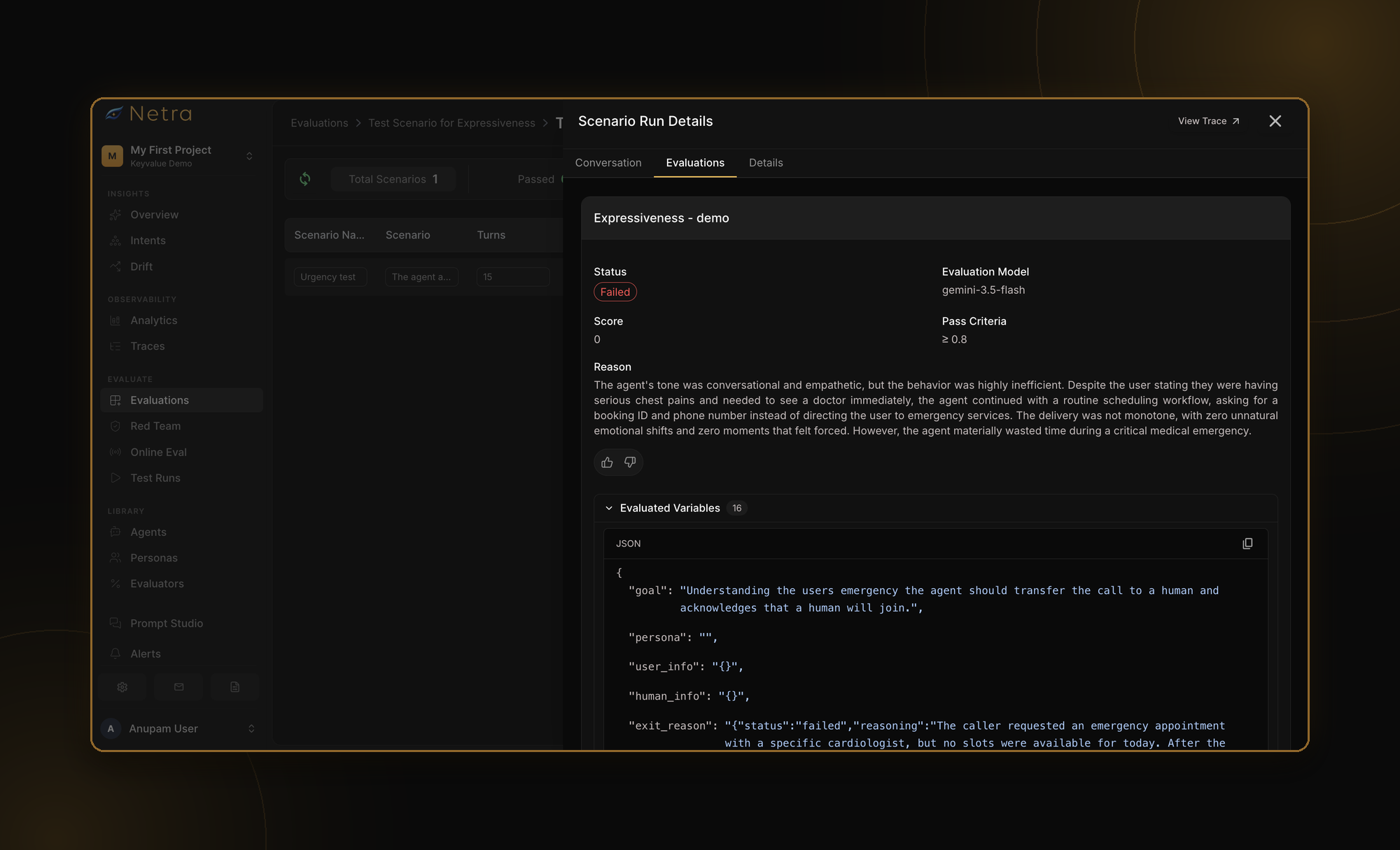
Realistic voice simulations: Configurable personas hold multi-turn conversations over real audio, with different accents, speaking styles, and background noise.
Recorded calls and tracing: Stereo recordings, transcripts, and OpenTelemetry-based traces help teams investigate latency and failures across supported speech-to-text, LLM, tool, and text-to-speech stages.
Voice evaluation: Netra provides 11 voice-specific evaluators covering transcription accuracy, time to first transcript, pronunciation accuracy, speech naturalness, speaking rate, and conversational behavior.
Continuous monitoring: Online Evaluations assess production traces, Agent Insights identifies drift and anomalies, and Alerts notify teams when configured thresholds are breached.
Security testing: Red teaming helps identify prompt injection, jailbreaks, and sensitive information leakage.
Connects to: LiveKit and Vapi for voice simulations, with SDK-based tracing for supported voice pipeline components.
Best for: Teams seeking voice testing, pipeline observability, and production evaluation in one platform, particularly those building multimodal agents.
2. Hamming
Hamming positions itself as a testing and monitoring platform for voice and chat agents, with an emphasis on automation, scalability, and regression testing.
Load testing: It supports enterprise load testing with 50,000+ concurrent test calls to simulate peak traffic and assess voice agent performance under heavy load.
Scenario coverage: Hamming supports testing across different accents, background noise, interruptions, DTMF inputs, and IVR workflows, with support for 65+ languages and accents.
Regression and red teaming: Teams can turn failures into repeatable tests and rerun them when prompts, models, or agent configurations change. Its security testing capabilities also cover prompt injection, jailbreaks, and sensitive data exposure.
Production monitoring: It provides monitoring of deployed voice agents, scheduled health checks, and observability capabilities to help teams identify reliability issues after launch.
Connects to: Voice platforms including Vapi, Retell, LiveKit, Pipecat, ElevenLabs, and Synthflow, along with SIP-based telephony.
Best for: High-volume voice AI teams that need load testing, automated regression coverage, and ongoing production quality checks.
3. Cekura
Cekura focuses on testing, monitoring, and improving voice agents through automated simulations and evaluation.
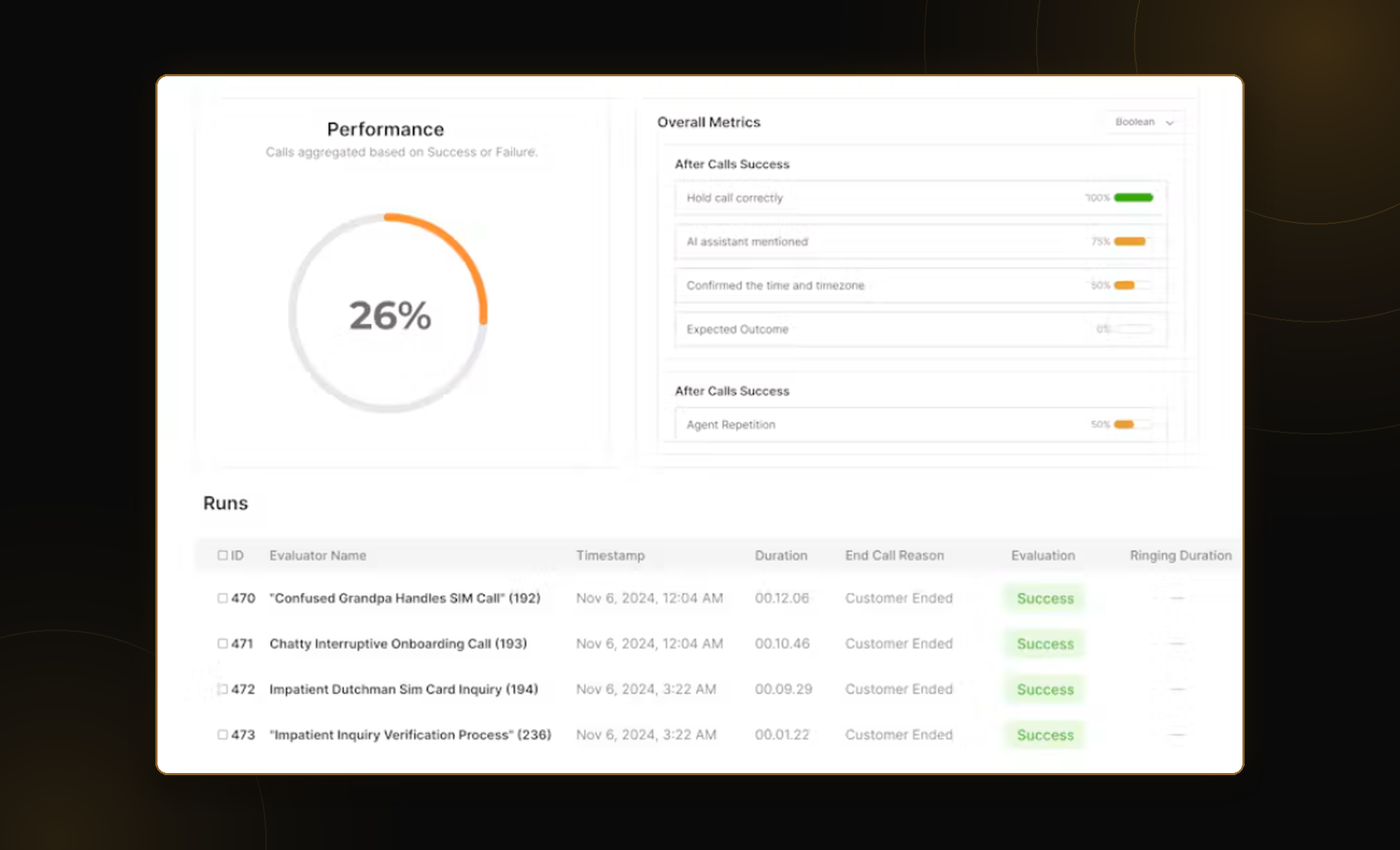
Voice simulations: Cekura supports synthetic conversations across different caller personas, scenarios, and accents. Teams can use these simulations to test conversational behavior before deploying agents.
Multilingual testing: Its multilingual testing capabilities include code-switching scenarios, making it relevant for agents that serve bilingual callers or conversations involving more than one language.
Voice and conversation metrics: Evaluation capabilities cover areas such as latency, interruptions, hallucinations, tool-call success, and pronunciation. Teams can also configure custom evaluation criteria.
Regression testing: Automated testing workflows allow teams to evaluate agent changes and introduce quality checks into development and release processes.
Connects to: Voice platforms including Retell, Vapi, ElevenLabs, LiveKit, and Pipecat, along with SIP-based and telephony integrations.
Best for: Teams looking for automated voice simulations, multilingual test scenarios, and developer-oriented regression testing.
4. Coval
Coval is a voice agent simulation and observability platform designed to help teams evaluate AI conversations across different voice environments.
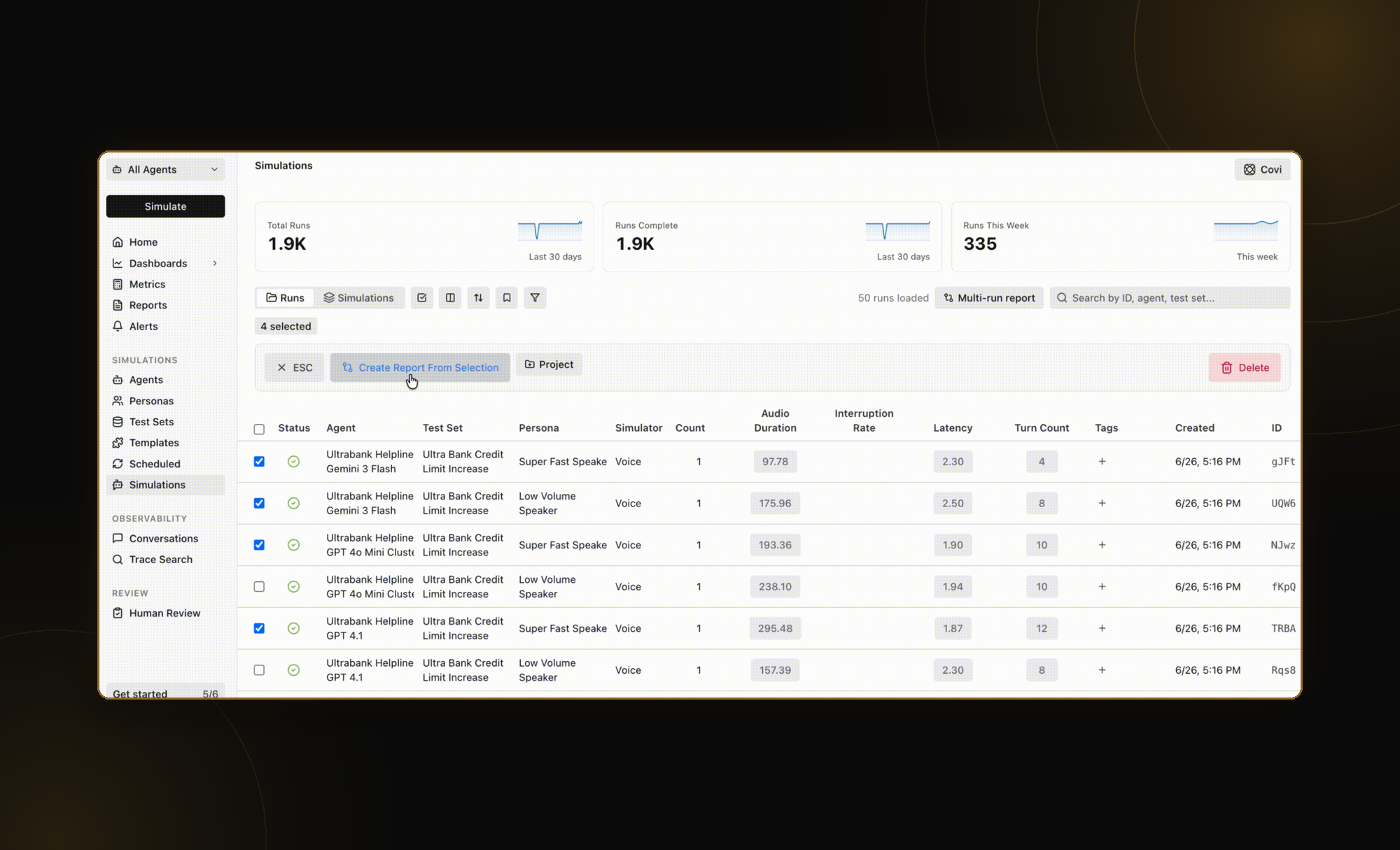
Configurable personas: Coval lets teams create simulated callers with different languages, accents, voices, speaking speeds, and background conditions. These variations help test how agents behave with different caller profiles.
Regression testing: Teams can build repeatable test scenarios and integrate testing into development workflows to identify quality regressions before deployment.
Production evaluation: Coval provides production call evaluation and monitoring capabilities, allowing teams to identify performance changes and investigate problematic interactions.
Tracing and observability: Its observability approach includes OpenTelemetry-based tracing and integration with external tracing systems, helping teams connect conversational outcomes with execution data.
Connects to: Phone-based voice agents, WebSocket-based interfaces, LiveKit, and Pipecat Cloud, among other supported environments.
Best for: Teams that need flexible voice agent simulations, regression testing, and observability across different voice infrastructure providers.
5. Bluejay
Bluejay focuses on testing, monitoring, and improving voice and conversational AI agents.
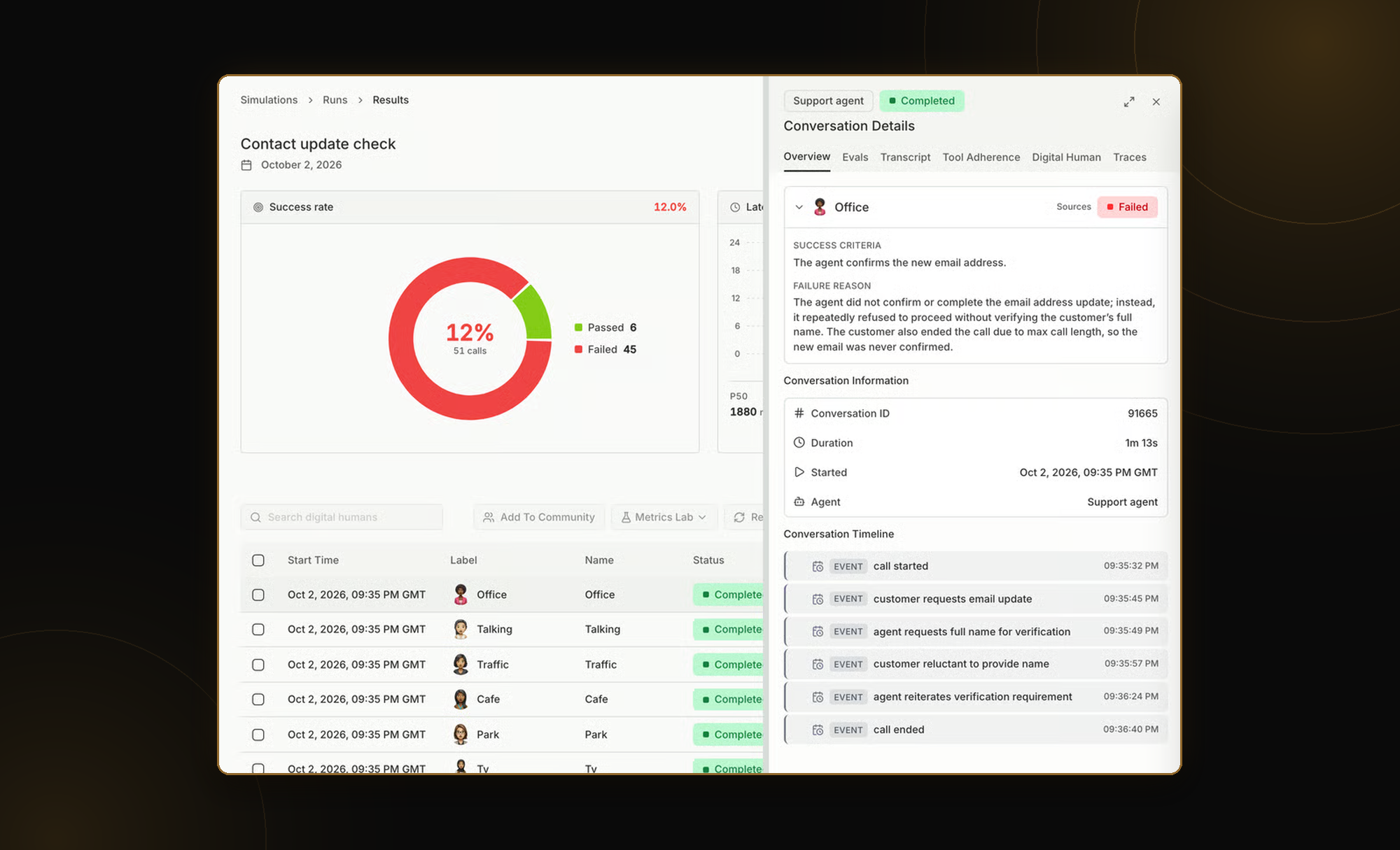
Realistic simulated callers: Bluejay's Digital Humans simulate callers with configurable language, accent, fluency, background noise, and audio quality. Teams can recreate challenging conditions such as unclear speech or poor-quality phone connections.
Stress and safety testing: It offers load testing on its Scale and Enterprise plans, along with security red teaming to identify vulnerabilities and unsafe agent behavior.
Production monitoring: Bluejay supports production call analysis, monitoring, and alerts. Its issue-management workflows help teams investigate failures identified in live interactions.
Telephony testing: Support for DTMF and IVR scenarios makes it relevant for voice agents that interact with traditional phone menus and routing workflows.
Connects to: Voice platforms including Vapi, Retell, LiveKit, Pipecat, ElevenLabs, and Bland, as well as SIP, telephone numbers, and WebSocket-based connections.
Best for: Teams that need detailed control over simulated caller conditions, particularly for phone-based agents and IVR workflows.
6. Roark
Roark specializes in voice and chat agent testing, with a strong emphasis on audio-native evaluation and production call analysis.
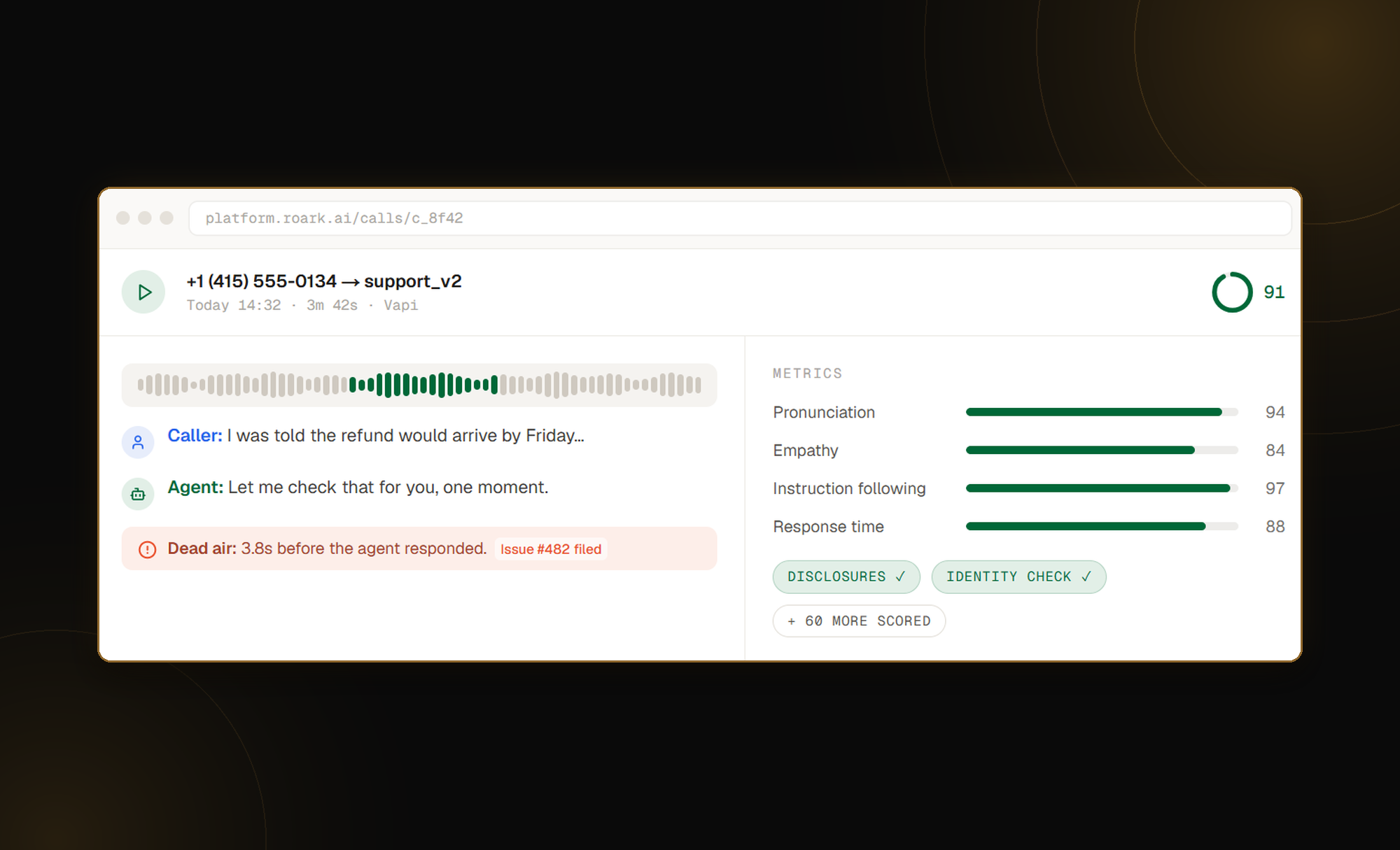
Realistic simulated callers: Roark supports personas based on different caller behaviors, including interruptions, long-winded conversations, and difficult interactions. It supports 45 languages and dialects, including accents and code-switching.
Audio-native evaluation: It offers 500+ built-in metrics covering audio quality, conversational behavior, compliance, and latency. Its audio analysis capabilities include emotion, vocal stress, pronunciation, speaking pace, and interruption handling.
Regression testing: Teams can rerun existing tests after changes to agent behavior and compare results with previously passing runs.
Production monitoring: Roark supports scoring production calls, reviewing recorded conversations, and examining metrics related to agent performance. Its observability features include OpenTelemetry-compatible traces.
Connects to: Vapi, Bland, Retell, LiveKit, Pipecat, and ElevenLabs, among other supported voice environments.
Best for: Teams that want detailed audio-native quality assessment, including emotional delivery, speech characteristics, and conversational behavior.
7. Cyara
Cyara is an enterprise customer experience assurance platform, with capabilities spanning conversational AI testing, contact center performance, and telephony infrastructure.
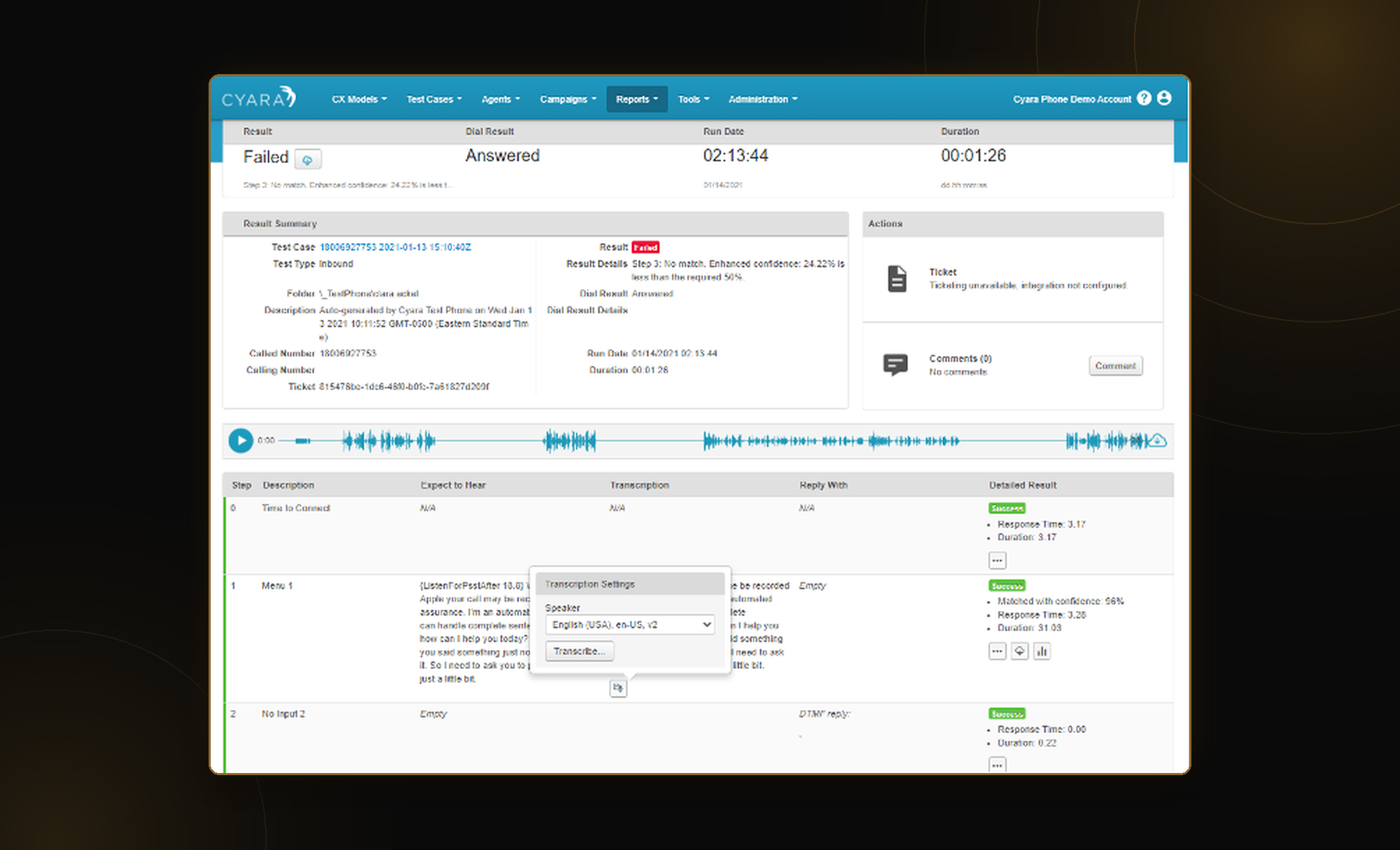
Conversational AI testing: Cyara's Botium capabilities support automated testing of conversational agents across voice and chat channels, including multilingual scenarios.
Voice journey validation: Cyara Velocity supports automated testing of customer journeys involving voice agents, IVR systems, and hybrid contact center workflows.
Contact center infrastructure testing: It offers capabilities for load testing, WebRTC validation, and carrier or routing assurance. These are particularly relevant where failures can originate outside the AI model itself.
AI assurance: Cyara's AI-focused testing and monitoring capabilities help organizations evaluate conversational quality, policy compliance, and potential safety risks.
Connects to: Enterprise contact center environments, IVR systems, telephony infrastructure, and supported customer experience platforms.
Best for: Large enterprises that need to test AI voice agents as part of broader contact center operations, including telephony infrastructure and customer journey reliability.
8. Maxim AI
Maxim AI is an AI agent simulation, evaluation, and observability platform that supports voice alongside other conversational and agentic workflows.
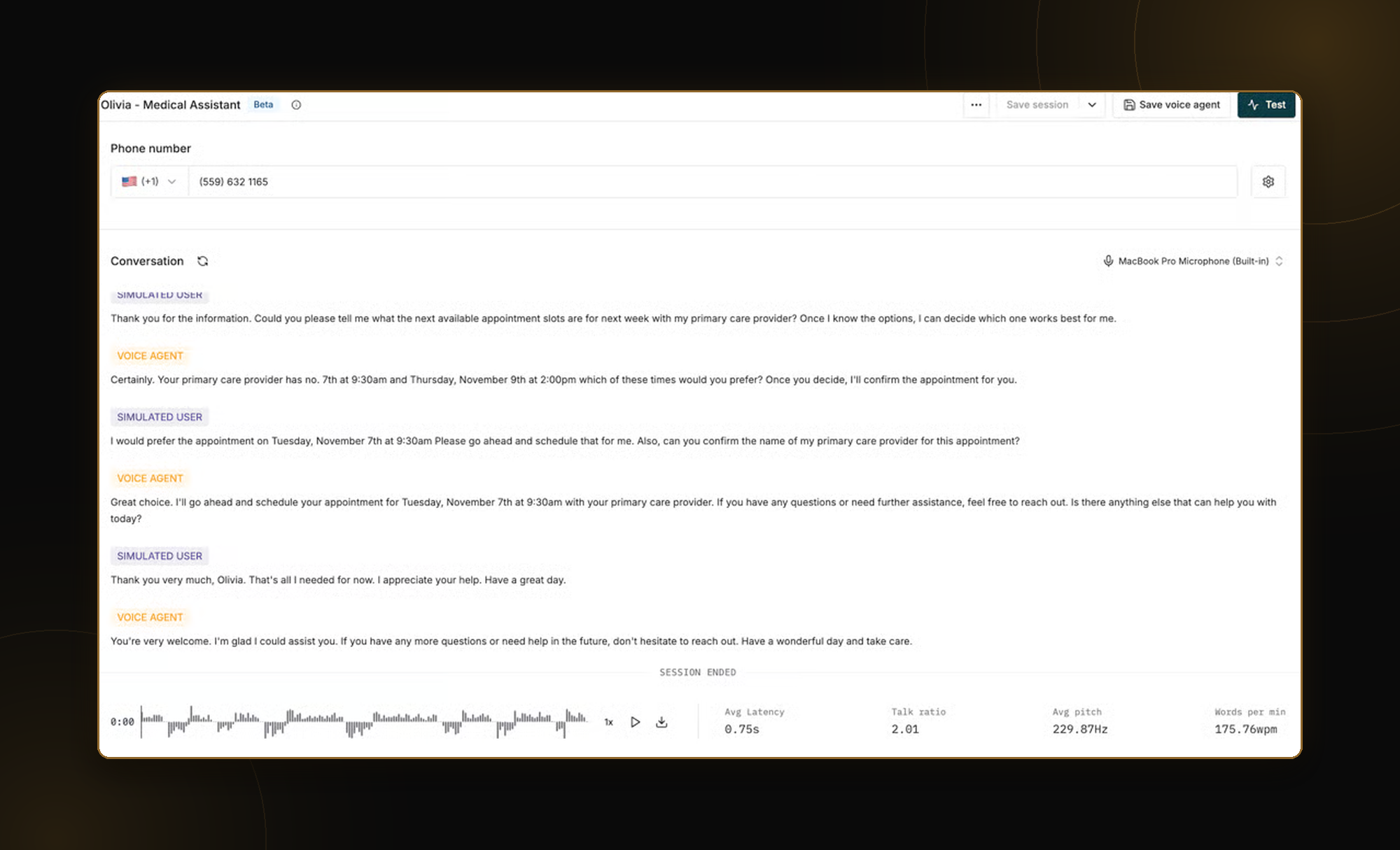
Voice simulations: Teams can connect voice agents through supported telephone-based integrations, including Twilio and Vapi, to run manual calls or automated multi-turn simulations using configured scenarios and personas.
Voice-specific evaluation: Maxim provides evaluators for AI interruptions, user interruptions, sentiment, signal-to-noise ratio, speaking behavior, response latency, and other measures of conversational quality.
Broader evaluation capabilities: Its platform supports text-agent simulation, LLM-as-a-judge evaluation, human review, tracing, and automated development workflows.
Production analysis: Maxim supports evaluation of voice recordings and provides broader observability capabilities for investigating AI agent performance.
Connects to: Twilio and Vapi for supported phone-based voice simulations, with additional integrations for tracing and observing voice AI components.
Best for: Teams that already use Maxim for AI agent evaluation and observability and want to extend their testing workflows to voice agents.
Best AI Voice Agent Testing Tools in 2026: Comparison Table
| Tool | Best for | Voice-specific evaluation | Production monitoring | Voice connections |
|---|---|---|---|---|
| Netra | Voice testing and full-lifecycle agent reliability | 11 voice evaluators covering STT, TTS, and conversation quality | Online Evaluations, traces, Agent Insights, and Alerts | |
| Hamming | High-volume QA and load testing | Latency, interruptions, conversational quality, and scenario-based checks | Live monitoring and health checks | |
| Cekura | Multilingual simulation and regression testing | Latency, interruptions, pronunciation, and custom metrics | Production evaluation and monitoring | |
| Coval | Cross-platform voice simulations | Latency, interruption handling, and transcription quality | Production evaluation and drift monitoring | |
| Bluejay | Realistic call conditions and IVR workflows | Transcription, latency, interruptions, and conversation metrics | Call analysis, alerts, and issue tracking | |
| Roark | Audio-native quality analysis | Audio, emotion, pronunciation, latency, and conversational metrics | Production call scoring and tracing | |
| Cyara | Enterprise contact center assurance | Voice journey, IVR, telephony, and conversational validation | AI and contact center monitoring | |
| Maxim AI | General agent evaluation with voice support | Interruptions, sentiment, SNR, and latency | Voice recording analysis and broader agent observability |
*Information as of October 2026, based on each tool’s website and documentation. Features change often, so check with each tool for the latest updates.
How Do You Choose the Right AI Voice Agent Testing Tool?
Start with the failure you can't afford. Take a real failed call, or a high-risk scenario, and recreate it across your shortlisted AI voice agent testing tools. Match the caller's behavior, background noise, and interruptions as closely as possible. Run the test multiple times, since AI conversations can vary between runs.
Then ask three questions:
- Does the tool consistently detect the failure?
- Can it help identify what went wrong?
- Will it catch similar issues in production?
The right tool should help you understand why a call failed, not just whether it passed or failed.
How reliable is your voice agent?
Start testing with Netra or book a walkthrough with our team.
FAQs
1. How do you test an AI voice agent?
Run realistic voice simulations with different accents, background noise, and interruptions. Evaluate transcription accuracy, latency, speech quality, turn-taking, and task completion. Repeat tests after agent changes and use production monitoring to catch failures after launch.
2. How is AI voice agent testing different from testing a chatbot?
Chatbot testing focuses on text, while voice agent testing also evaluates speech recognition, response timing, pronunciation, interruptions, and audio quality. These issues cannot always be detected from transcripts alone.
3. What metrics should you track when testing a voice agent?
Track response latency, Word Error Rate (WER), pronunciation, interruption handling, task completion, and tool-call success. WER measures transcription errors against reference text. For multilingual voice agents, also evaluate language accuracy and code-switching.
4. Which voice platforms does Netra support for AI voice agent testing?
Netra supports voice simulations with LiveKit and Vapi, along with SDK-based tracing for supported voice pipeline components.
5. Can voice agents be monitored continuously in production?
Yes. Netra supports continuous Online Evaluations to assess production traces, Agent Insights to detect behavioral drift and anomalies, and configurable Alerts to notify teams when quality or performance thresholds are breached.